

An Arid installation becomes easier to look after when the owner knows where it is, which areas it serves and how to get help. Whether you are collecting a new boat, buying a used boat or finishing a refit, make time for a walkthrough with the installer or the person handing over the vessel.
The most useful result is a short record you can keep aboard: the system identity, a map of its pickups, the matching manual and a few clear photographs. You should be able to find the equipment again without retracing every tube.
Start with the unit actually aboard
Read the series and serial number from the installed unit and save a clear photograph of its label. Boats and equipment can change over time, so an old sales listing or a photograph of a similar enclosure is not enough to identify the installation.
Open the matching instructions in Owners’ Central with the installer. Confirm which controls, indicators and options are fitted to this unit. If the label is difficult to read or the documentation does not match, ask Arid to help identify it before relying on another model’s instructions.
Walk from the unit to each pickup
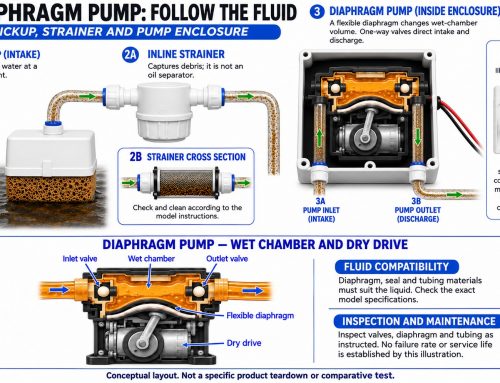
Ask to see each accessible pickup location. Give it a useful name, such as “aft bilge beneath the access hatch,” and use that same name in the handover notes. A numbered zone is much more helpful when its number leads to an identifiable place.
For every connected area, record where the access opening is, what the pickup serves and anything that must remain clear for inspection. Note inaccessible areas honestly. Do not assume that every low compartment on the boat is connected to Arid simply because a system is installed.
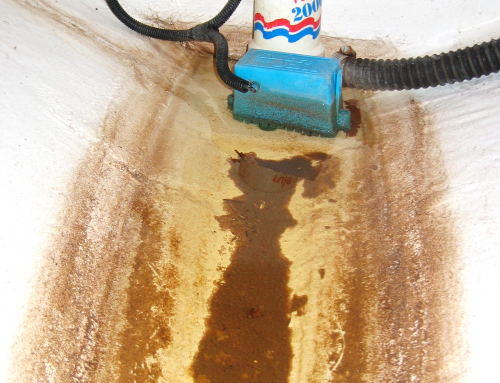
A wide photograph can show the hatch and surrounding equipment; a closer view can show the pickup. Our wet-zone guide explains why apparently nearby spaces can hold separate pockets of water.
Ask for an operating demonstration
Have the installer explain normal operation using the manual for your model. Ask which indications are expected during operation and rest, how an alarm is identified, and where the documented troubleshooting steps begin. Record the answers with the model name rather than treating one demonstration as a rule for every Arid system.
If the unit has zone hour meters, record the starting readings and date. Match each meter to the pickup map. These become a reference for later observations; runtime alone does not tell you the volume of water removed or diagnose a leak. The zone runtime guide shows how to compare readings over the same period.
Agree on access and routine care
Ask the installer to identify the electrical isolation point and explain the maintenance procedure for the fitted pickups. Confirm how to reach the unit and its service points after tools, stores and removable panels are put back in place.
Discuss planned washdowns, cleaning products and any freezing conditions the boat may encounter. Use the model’s instructions for cleaning and seasonal preparation. Keep a note of work still outstanding, who is responsible and how completion will be confirmed. Our owner maintenance guide provides an overview to read alongside those instructions.
Keep this handover record aboard
- System: series, serial number, label photograph and matching manual.
- Locations: unit position, named pickup zones, access openings and photographs.
- Operation: fitted controls, the demonstrated normal sequence and model-specific alarm guidance.
- Baseline: handover date, observations and meter readings where fitted.
- Care: pickup maintenance, cleaning precautions and seasonal instructions.
- Support: installer contact, service history and any agreed follow-up work.
Arid collects residual water alongside the boat’s conventional bilge pumps. Keep those pumps and alarms in service and investigate unexpected water entry. A well-documented handover helps the next owner, captain or technician understand the installation without making assumptions about the rest of the boat.
Need help identifying the unit or matching it to its documentation? Contact Arid with the series, serial number and a photograph.