
A useful service photograph does two jobs: it shows the detail you are concerned about and explains where that detail sits aboard the boat. One tightly framed image of a fitting may leave the technician unable to identify the unit, pickup or access route.
Before contacting Arid, put together a small, clearly labelled set of photographs and a short description of what changed. This is a way to prepare a service request, not an instruction to dismantle equipment or carry out a repair.
1. Identify the installed system
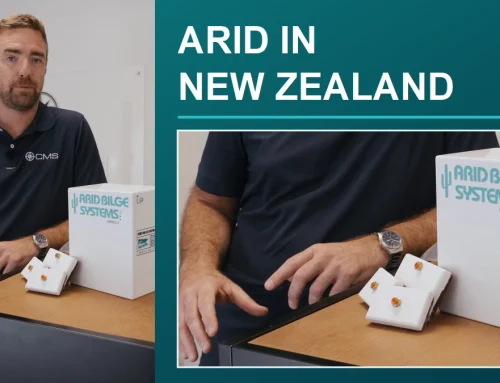
Photograph the whole unit from a position where its series label and controls are visible. Add a readable close-up of the serial number. Check the original images before sending them: glare and reflections can hide a label that looked clear on the phone screen.
Keep the original photograph and its date. If you add an arrow or annotation to explain a concern, send that as a second copy. Do not recolour, retouch or use an image filter that could change the appearance of residue, wiring or indicator lights.
2. Show the installation around it
Take a wider view showing the unit’s location, accessible tubing and nearby equipment. Include the access opening if it helps someone understand how the space is reached. The purpose is context: the technician needs to distinguish an installation in a narrow locker from one with open service access.
Stay within areas you can reach safely. Do not open the enclosure, remove electrical covers, disconnect tubing or move installed equipment just to improve the photograph. If a connection is hidden, say so. A recorded gap is more useful than a guessed route.
3. Photograph the affected pickup area
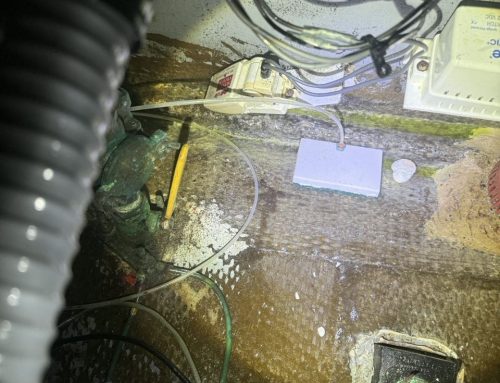
Use the zone name or number from your installation record. Take one view of the compartment and one of the accessible pickup, surrounding low point and visible tubing. Include the water or residue you are reporting, without presenting a wet area as proof of a particular cause.
If you have dated photographs from before the issue appeared, include the matching view. Note any recent rain, washdown, trip, equipment work or cleaning. Water can travel before reaching a pickup, so the collection point may not be the source.
4. Record what happened, not just how it looks
Write down the indicator or alarm pattern and when it occurs. A short recording can help explain an intermittent sound or sequence if support requests it. Use the instructions for the installed model; do not diagnose one series from another series’ light pattern.
For units with zone hour meters, include the readings and dates rather than an undated total. If an issue concerns a compatible app, include the app version, the connection step and the relevant message or screenshot. Remove unrelated personal information from screenshots before sharing them.
A clear service request can be brief
Copy this outline into your notes and fill in only what you know:
- Installed system: series and serial number.
- Affected location: pickup zone and access point.
- Observed issue: what happens, when it started and whether it repeats.
- Recent changes: maintenance, cleaning, electrical work or changes in water entry.
- Evidence: labelled photographs, exact alarm details and dated readings where available.
- Checks already completed: steps followed from the matching manual and what happened afterward.
For an example, “the aft zone behaves differently after a washdown” gives support a starting point. Adding the date, actual indication and a photograph makes that report more useful. Do not fill a missing field with an assumption.
Find the matching manual and troubleshooting guidance in Owners’ Central. If an issue remains unresolved, contact Arid support before repeating tests. Use the repair request page when a service request is needed, and confirm shipping instructions before sending a unit.
Unexpected incoming water needs prompt attention through the boat’s normal safety and service arrangements. Gathering photographs should never delay that response. Arid supports residual-water removal; it does not replace conventional bilge pumps or repair the source of a leak.